One click to collect all attendees lead with Email from a LinkedIn event, save user profile to CSV / Excel.
Get started - it's free






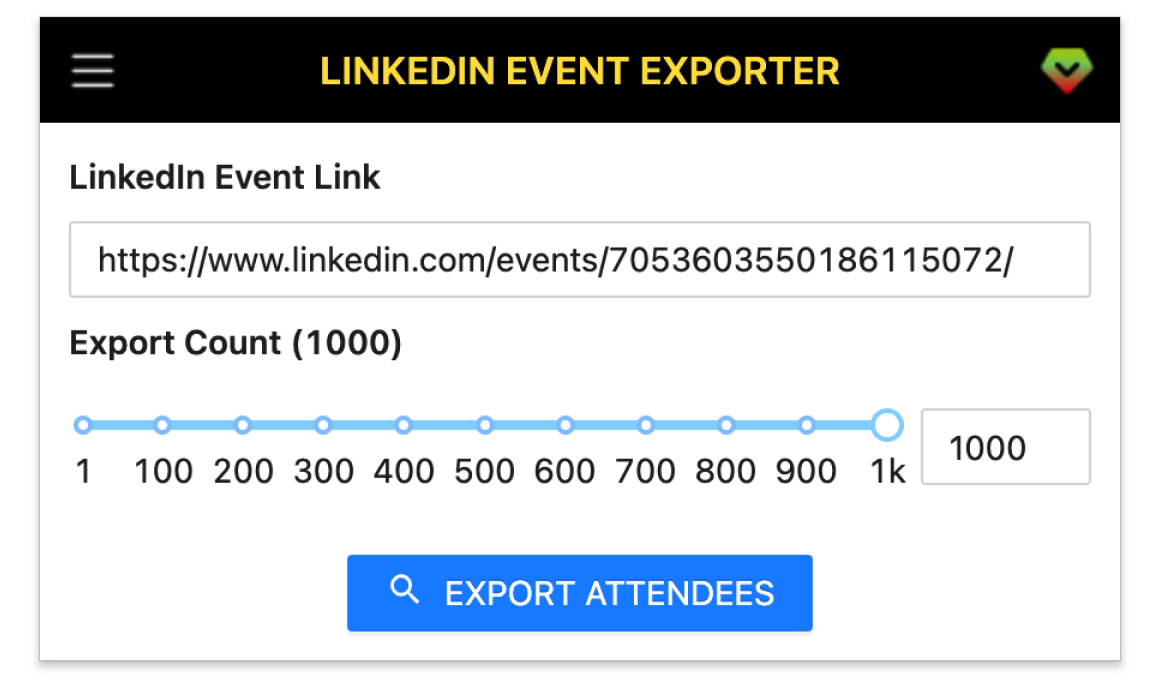
A smart tool to extract the attendees lead with Email of any LinkedIn event in your industry into a CSV file.
Collect all attendees from any LinkedIn event in one click.
Scrape up to 1000 attendee profiles per event.
Extract company, school, title and more profile details.
Find emails with Apollo, Hunter, Snov, Datagma and more.
Save and download in CSV, Excel or JSON formats.
Get started in a few simple steps.
Add the LinkedIn Event Attendees Exporter to your browser.
Open the tool, paste the LinkedIn event URL, then press Export.
Download the results and save as CSV, Excel or JSON.
How teams use LinkedIn Event Attendees Exporter in their daily workflow.
SDRs and sales teams export attendees and enrich emails to start outreach fast.
Find candidates by title/company from relevant events and build shortlists in minutes.
Organizers export guest lists to send recaps, feedback surveys and future invites.
Grow segmented email lists from event audiences to run targeted campaigns.
Identify decision‑makers who attended industry events and reach out with context.
Fields included in exported datasets.
| Field | Description | Example |
|---|---|---|
| Public Identifier | Unique LinkedIn public handle. | john-doe-12345 |
| Profile Link | Direct link to the member profile. | https://www.linkedin.com/in/john-doe-12345 |
| First Name | Member given name. | John |
| Last Name | Member family name. | Doe |
| Full Name | Member full display name. | John Doe |
| Subtitle | Profile subtitle under the name. | Senior Growth Marketer at Acme Co |
| Location | Profile location. | San Francisco, CA, USA |
| Picture URL | Profile avatar image URL. | https://media.licdn.com/.../profile.jpg |
| Degree | Network degree (1st, 2nd, 3rd). | 2nd |
| Company Name | Current company name. | Acme Inc. |
| Job Title | Current job title. | Growth Manager |
| Employment Type | Type of employment. | Full-time |
| Company Industry | Industry of the current company. | Information Technology |
| Company Location | Company HQ or job location. | San Francisco, CA, USA |
| Job Date Range | Employment start–end. | Jan 2022 – Present |
| Company Employee Count | Company size band. | 201-500 |
| Company ID | LinkedIn company numeric ID. | 1234567 |
| Company Universal Name | Company handle on LinkedIn. | acme-inc |
| Company URL | Company profile URL. | https://www.linkedin.com/company/acme-inc/ |
| School Name | Education institution. | Stanford University |
| Degree Name | Degree obtained. | M.S. |
| Field Of Study | Major/field of study. | Computer Science |
| Education Date | Education year range. | 2013 – 2015 |
| Industry Name | Member self-selected industry. | Marketing & Advertising |
| Summary | Profile about/summary text. | Driving user acquisition and retention through data-driven campaigns. |
| Skills | Comma or semicolon separated skills. | Growth Marketing; SEO; Email Marketing |
| Certifications | Professional certifications. | Google Analytics; HubSpot Inbound |
| Projects | Notable projects listed. | Lead Gen Automation; ABM Playbook |
| GEO Location Name | General area/metro. | San Francisco Bay Area |
| GEO Country Name | Country name. | United States |
| Prefer Country Code | Preferred country code. | US |
| Prefer Language Code | Preferred language code. | en |
| Birth Date | Birthday if available. | 1990-07-12 |
| Is Creator | Creator mode enabled. | No |
| Is Influencer | LinkedIn influencer flag. | No |
| Is Premium | Has LinkedIn Premium. | Yes |
Where you can get answers to common questions about LinkedIn Event Attendees Exporter
You don’t have to take our word for it
I export event guests with emails in minutes and book more meetings. It replaces hours of manual copy and paste.
Michael
SDR
Perfect for building targeted lists from niche events. CSV and Excel exports drop straight into our campaigns.
Jessie
Growth Marketer
Sourcing candidates from relevant events is so much faster. Titles, companies and links are all in one file.
Sarah
Recruiter
After each webinar we export attendees to send recaps and surveys. Huge time saver for follow ups.
Alex
Event Organizer
Great for discovering partners who attend industry events. The email enrichment helps us start warm conversations.
Priya
Founder
We build ICP lists from event audiences and sync to our CRM. Quality is consistently high.
Liam
BD Manager
Our team uses it to deliver lead lists for clients. Simple UI, reliable results and flexible formats.
 Elena
Agency Owner
Elena
Agency Owner
I like that it respects what I can already see on LinkedIn and still saves hours per week.
 Noah
Talent Sourcer
Noah
Talent Sourcer
Super helpful for event‑driven launches. I can segment by role and company size right from the export.
 Mia
Product Marketing
Mia
Product Marketing
The 1000 attendee limit per event and JSON export make it easy to automate our workflows.
 David
Sales Ops
David
Sales Ops
Paste a LinkedIn event link, click Export, and download attendees with enriched emails as spreadsheet.
All Pro plans include a 7-day money-back guarantee. No questions asked.